For years, “Settings” was fairly empty, as I have tried to keep Sine Machine as straightforward and simple as possible.
Note that all settings here are currently per-patch. Comment below or email me if you want them to be truly global.
Fine Tuning
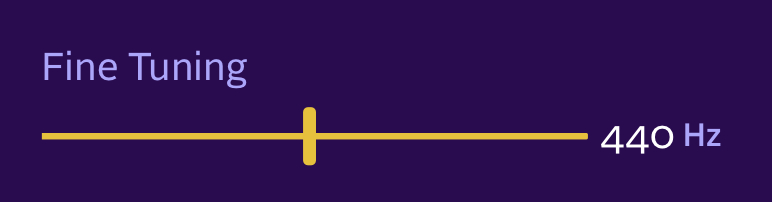
If you are tuning to another standard or another real-life instrument, you can tune the whole of Sine Machine by setting Fine Tuning to what the A reference should be. It goes in increments of 1 Hz from 415 to 466Hz and defaults to 440Hz.
Transpose

This setting was added because some sound designers wanted to have their bass patches be clearly bass. It goes in semitone increments from -24 semitones to +24 semitones and defaults to 0 semitones. If you set this to -24 your middle C will be two octaves lower.
Harmonic Slew

Ok, hold onto your hats. This is an additive-specific control.
In Sine Machine, harmonics have the ability (through Envelopes, Trem and Pitch controls) to immediately blink on or off. For example, a full-depth square wave Trem can flip a harmonic between full loudness and completely off.
Think of “Slew” as the speed limit. In this case, it limits how fast a harmonic volume can go from ON to OFF (and from OFF to ON).
Why do we care? Instantaneous change in an audio signals creates artifacts that we hear as glitchy clicks. A physical speaker membrane simply can’t teleport between all the way in or out.
So by default, Sine Machine sets Harmonic Slew to AUTO. In this mode, we very slightly soften the square wave trem, any big square wave pitch jumps and instantaneous harmonic entrance/exits — each with the minimum amount necessary to reduce clicking artifacts.
If you like, you can decide to take control over the slew:
- Put it very low, such as 0.1ms, because you love that sweet click-y life, are designing drum transients, or just don’t believe in physics.
- Put it at 20ms, because you are still hearing some clicks in your twinkle-y patch.
- Turn it high (above 30ms) for gluey chill sound design reasons.
Note that in AUTO, the initial note on entrance is unaffected, but manually setting Harmonic Slew affects all harmonics all the time, including note on.
Extra Nerd Note: The slew is a fixed rate, not a fixed time: the chosen ms is how long a full 0→1 traversal takes. A 0.9→1.0 step (10% of the distance) completes in 10% of the time. At 18ms, a full-depth square trem chop slews volume over 18ms, but if you have trem depth set to 10%, it will take only 1.8ms.
Leave a Reply